Time tracking, done right.
Run the day from one app.
GPS time clock, scheduling, tasks, and team chat in one app. Works offline. No hardware.
Built for hourly teams
Three costly workforce problems — solved
Small businesses lose thousands every year to preventable time, tool, and pricing issues.
Time leakage
Buddy punching, missed clock-outs, and manual edits quietly inflate payroll. GPS-verified clock-ins and offline capture fix accuracy at the source.
Tool sprawl
Scheduling, time, tasks, and chat across four apps slows everyone down. SAMM for Work keeps coordination in one place with a shared source of truth.
Pricing opacity
Per-feature add-ons and surprise fees make monthly cost hard to forecast. SAMM for Work is one simple plan with a low per-employee rate — everything included.
Four steps from clock-in to payroll
One app that covers the whole week — the way small teams actually run.
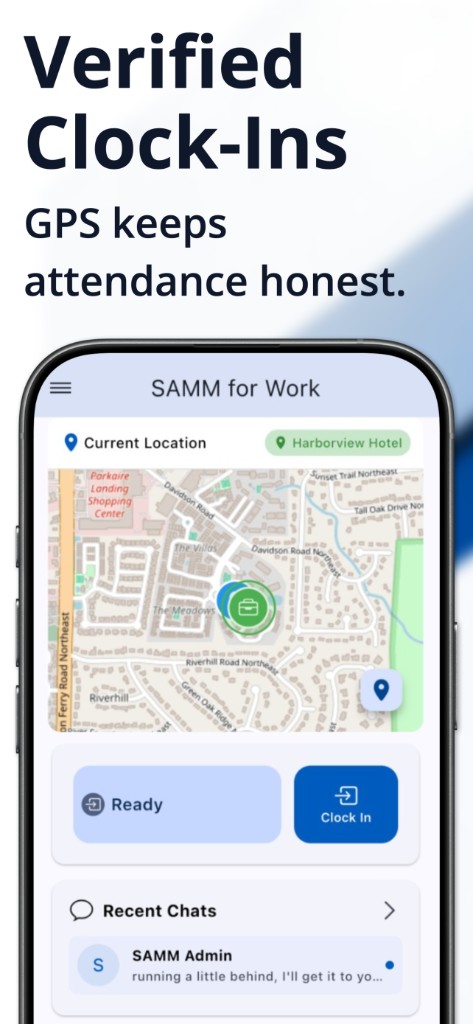
Clock in at the right place — online or off
Employees punch from their phone and geofencing confirms they're on-site. Kiosk mode turns a shared tablet into a clock station with optional photo verification.
- GPS geofencing by location
- Offline capture with auto-sync
- Kiosk mode with admin PIN
- Passwordless employee sign-in
Build schedules with less guesswork
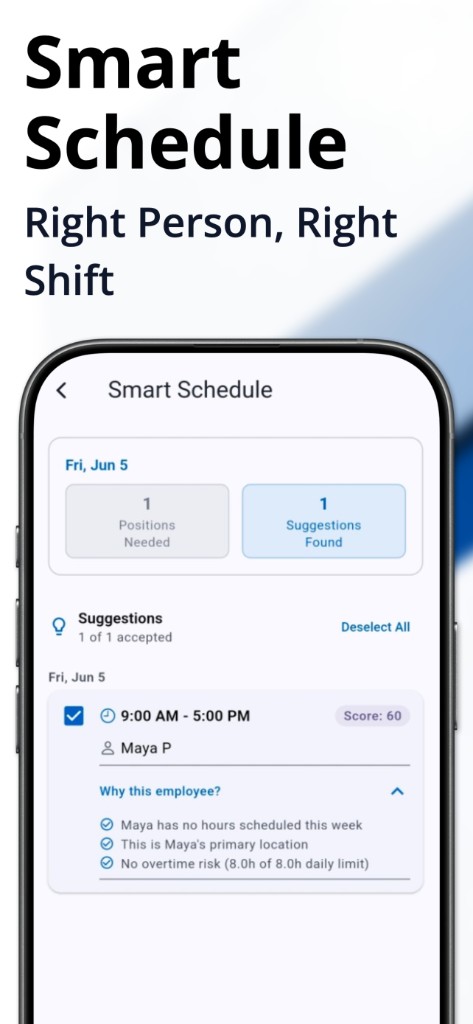
Smart Scheduling uses availability, overtime risk, and job-title fit to suggest assignments. Coverage rules warn you about gaps before you publish.
- Smart suggestions by role and site
- Overtime-risk flags before publish
- Coverage rules by title and time window
- Shift swaps with admin approval
Coordinate the team without switching apps
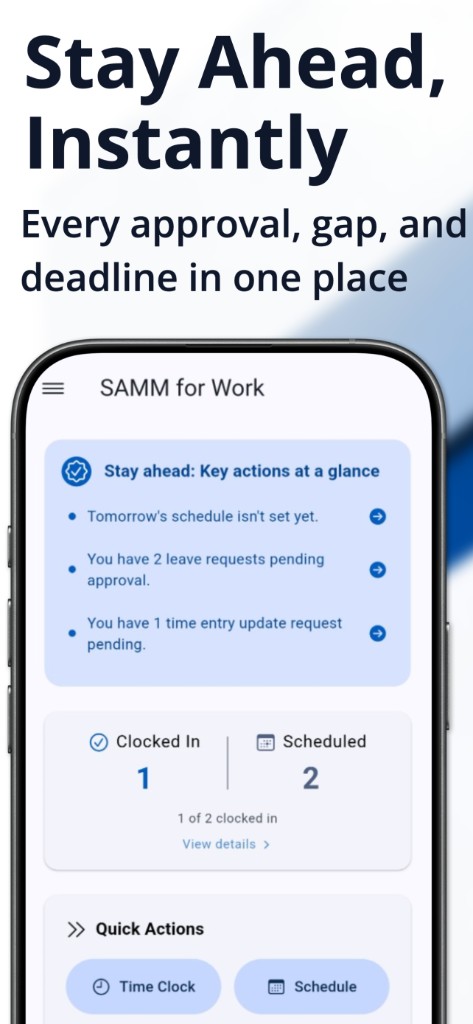
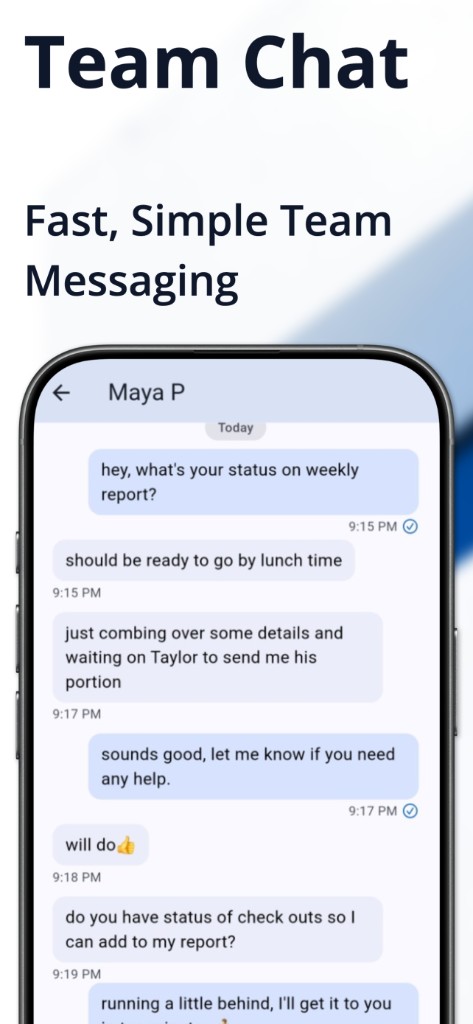
Stay Ahead surfaces what needs attention. Tasks and team chat live in the same app — assign work, message shifts, and resolve issues without tool sprawl.
- Stay Ahead queue for admin work
- Tasks with priorities, due dates, and recurring work
- 1:1 and group chat with file sharing
- Smart break detection with grace periods
Payroll in minutes, not hours
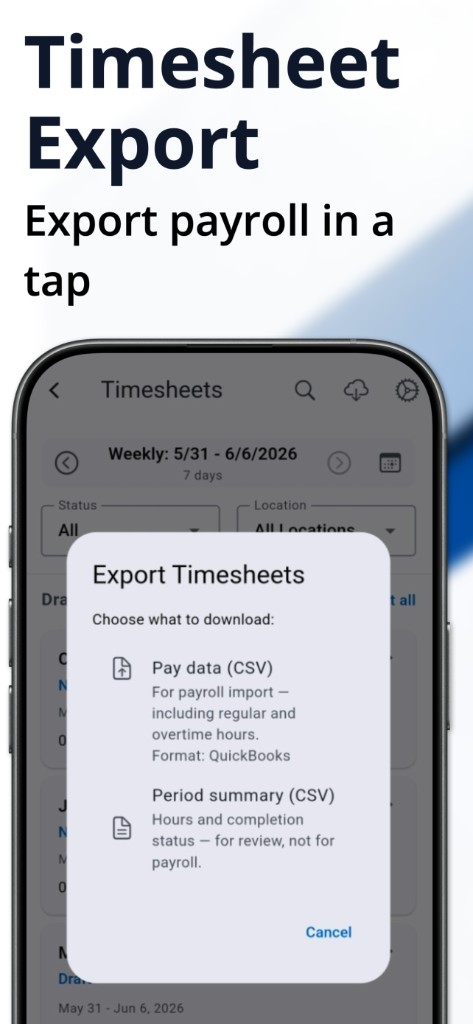
Timesheets are generated automatically from clock-ins with the overtime rules you configure. Approve once, then export to ADP, Gusto, or QuickBooks.
- Automatic timesheets from punches
- Configurable overtime and break rules
- Bulk approvals with audit trail
- One-click export to ADP, Gusto, and QuickBooks
What spreadsheets and patchwork tools cost you
SAMM for Work replaces manual workarounds with one platform built for hourly teams.
| Spreadsheets | Multiple apps | SAMM for Work | |
|---|---|---|---|
| Setup time | Days of manual setup | Weeks to connect tools | ✓ About 5 minutes |
| GPS verification | None | Often extra cost | ✓ Included |
| Offline clock-in | Paper only | Rarely supported | ✓ Auto-syncs later |
| Admin dashboard | Manual tracking | Scattered notifications | ✓ Stay Ahead — proactive |
| Smart scheduling | Manual | Basic or opaque | ✓ Scored with reasons |
| Pricing | Hidden labor cost | Per-feature add-ons | ✓ One plan, low per-employee rate |
Simple pricing. Everything included.
One simple plan — a base rate that includes your first 20 employees, plus a low per-seat rate as you grow. All features included, no contracts.
Loading pricing…
Loading pricing…
- Time tracking, GPS, and kiosk mode
- Smart scheduling, coverage rules, and shift swaps
- Tasks, team chat, and Stay Ahead dashboard
- Automatic timesheets plus QuickBooks, ADP & Gusto export
- Offline mode on all mobile devices
- Onboarding and email support
Questions before you start
How long does setup take?
Most teams can configure locations, job titles, and core policies in about five minutes, then invite employees immediately.
Does SAMM for Work work when internet is weak or unavailable?
Yes. Clock-ins are captured locally and sync once the device reconnects, so timesheets stay complete even in low-signal areas.
Do we need to buy hardware?
No. Employees can clock in from their phones with geofencing, or you can run Kiosk mode on any shared tablet with optional photo verification.
How does pricing work?
SAMM for Work is one simple plan: $35 per month includes the first 20 employees, then $2 per additional employee per month — all features included. Use the calculator on our pricing section to see your rate. Teams with more than 50 employees should contact us for a custom quote.
Can we export to QuickBooks, ADP, or Gusto?
Yes. Approved timesheets export as CSV formatted for QuickBooks payroll import. ADP and Gusto exports are also supported so you can close payroll without re-entering hours.
What do employees see with GPS clock-ins?
Employees clock in from their phone when they arrive on-site. Geofencing confirms location at punch time — admins see verification status; employees see whether their punch was accepted.
We're switching from spreadsheets or another tool — how hard is migration?
Most teams start fresh: set locations and roles, invite employees, and go live the same day. There is no hardware to install. Our onboarding team can help you configure policies and validate your first pay period.
What support do we get during rollout?
Guided onboarding and email support help you configure workflows, validate policies, and go live confidently.
Can we export our data if we leave?
Yes. Your timesheet and payroll data can be exported. Employee data export is available to meet privacy requirements.
What if we have more than 50 employees?
Contact us for custom pricing. We'll configure a plan for your team size and billing preferences.
Get in touch
Questions about pricing or need a hand? Reach the right team directly.
See SAMM for Work in action in 5 minutes
Spin up a live demo environment loaded with sample data, or talk to us about your team.
Or reach us at [email protected]